Kutak - WordPress Theme Documentation
Welcome to Kutak documentation. Kutak is a Minimal Blog and Magazine WordPress Theme.
This theme is extremely begginer friendly but if there is something that isn't in the documentation or isn't clear to you go to theme support tab on themeforest.net. and ask your question.
Check it out https://apalodi.com/themes/kutak/
Getting Started
Downloading from ThemeForest and unziping it, you will find the following files:
- kutak.zip - actual theme
- kutak-child.zip - child theme
- documentation.html - link to the online documentation
Installation
Steps to install the theme:
- Login on your admin panel.
- Go to Appearance -> Install Themes
- Upload -> and "Select file" which will open the File Upload dialog window.
- Browse to the folder where you have kutak.zip and upload it.
- Now you can activate the theme.
For more info check https://wordpress.org/documentation/article/work-with-themes/
Child Theme
If you are planning to do several CSS changes or templates changes, it is highly recommendable to do these changes inside a Child Theme, so you will never lose these changes. Child Theme makes the updates easier.
To change a template copy template from parent theme to child theme folder templates. Child theme templates override parent theme templates.
Child Theme is installed the same way a normal theme is installed.
Recommended Plugins
After you have installed the theme you will notice a box on the top asking you to install some plugins.

Select all plugins, choose the bulk option "Install" and click "Apply".


When all plugins are installed you will need to go back to the list and activate all the plugins.
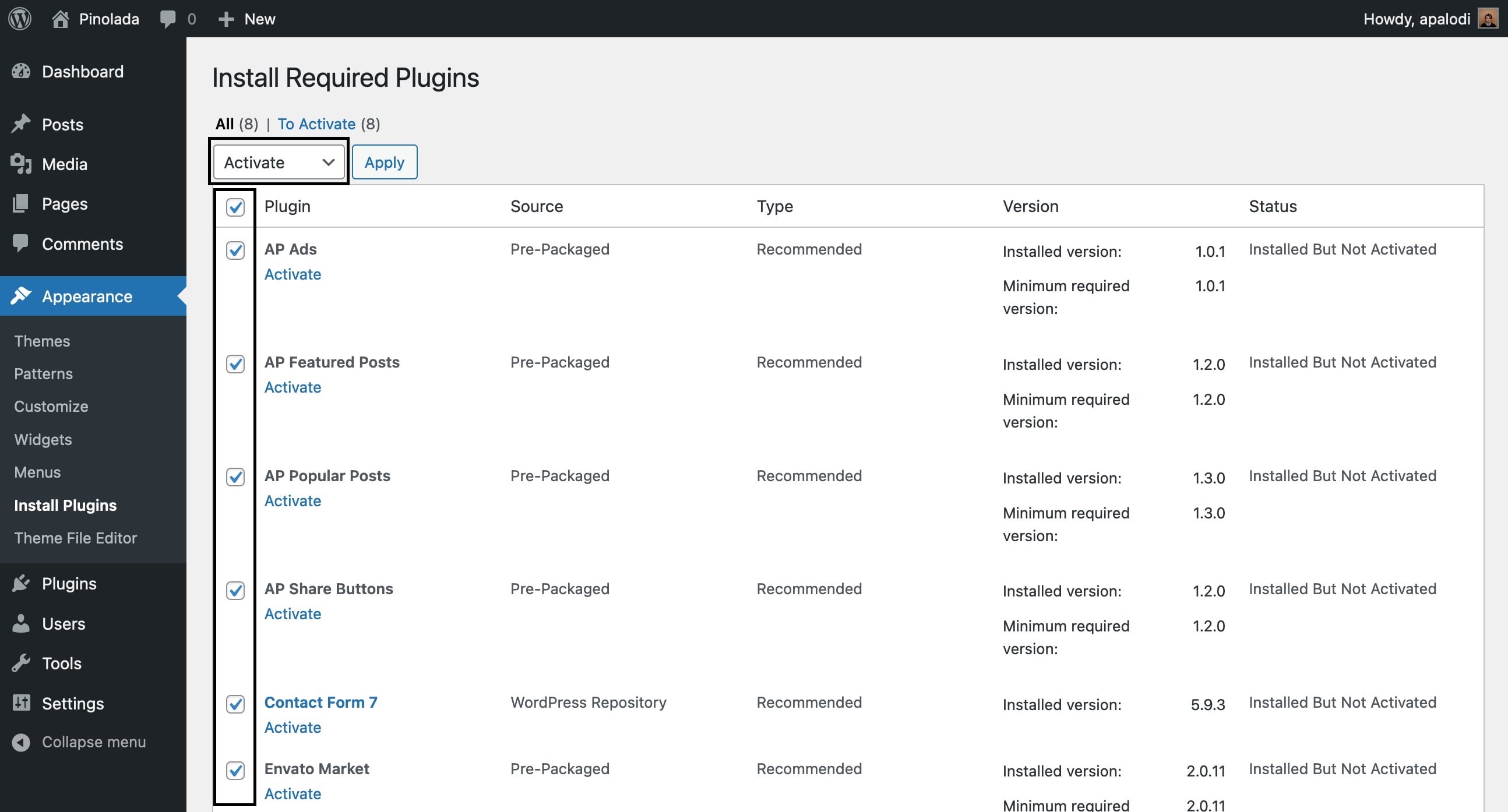
When you are done click "Return to dashboard".

Import Demo
This step is fully optional, if you already have a working site don't import this demo content.
To import the demo data it is required that you have already installed the plugin "One click Demo Import" from the last step.

Click the button. Import process can take a couple of minutes. It takes some time to download all images.


Updates
You will need to install the Envato Market plugin first. See install recommended plugins. When the plugin is installed a new option will be added to your admin panel.
You will need to generate a personal token, insert it and save it. After that you will get a list of your themes and plugins you bought. When there is a new version available you will be notified.

Customizations
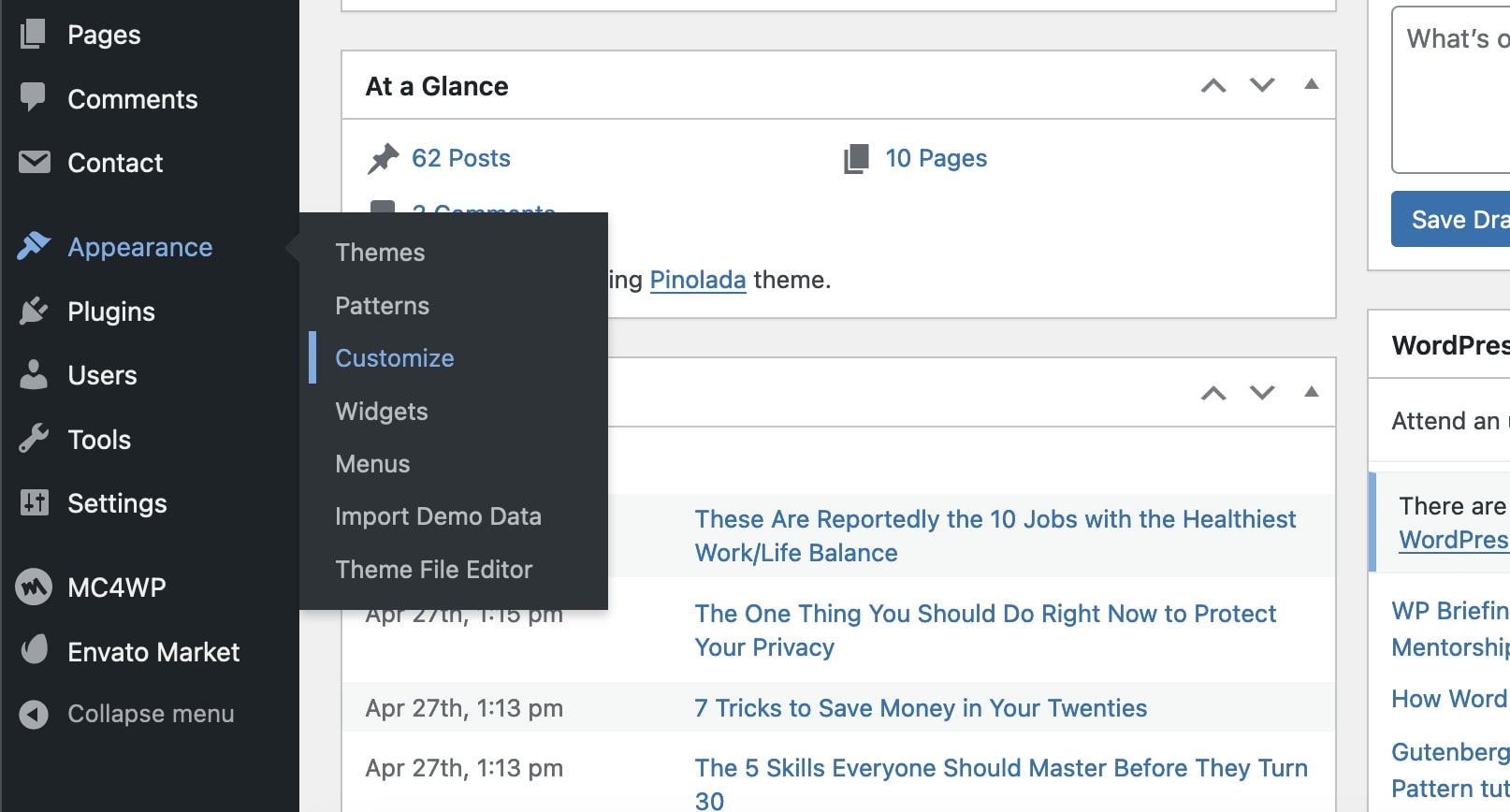
All the theme customizations are done inside WordPress customizer that you can access through "Appearance > Customize".

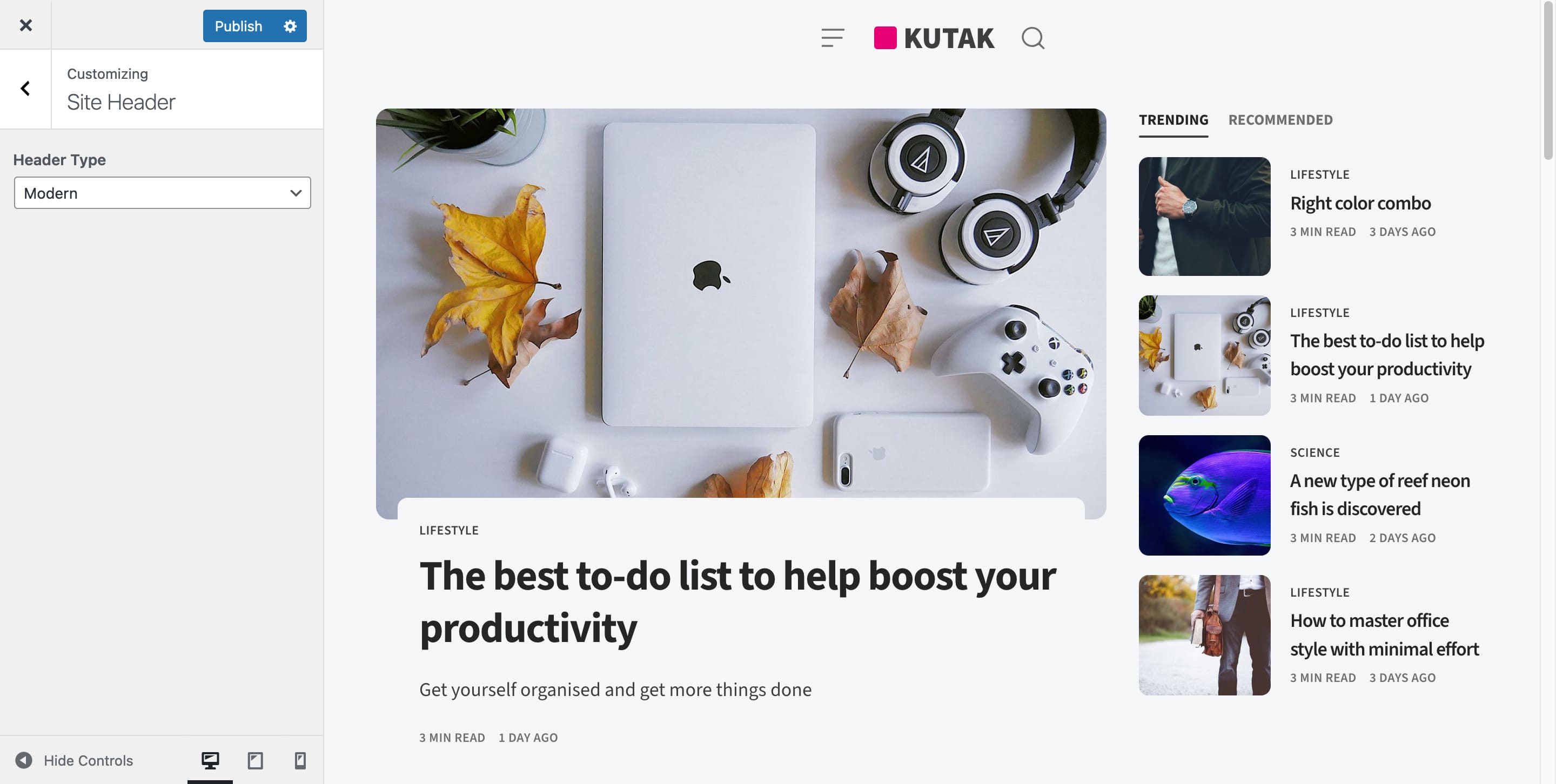
Modern/Classic Header
In the options you can choose between 2 header types - Modern and Classic.

To setup navigation you will need to create your Menu in Appearance > Menus.
Kutak adds new options for menu items that enable you to customize the menu. This is only available for the primary menu with Modern Header style.

Colors & Dark Mode
Here you can customize the background color, color scheme and accent color. There is also an option to enable the "Dark Mode" and special colors for the dark mode.

If you select a darker background color you will need to switch the "Color Scheme" to dark for the text.
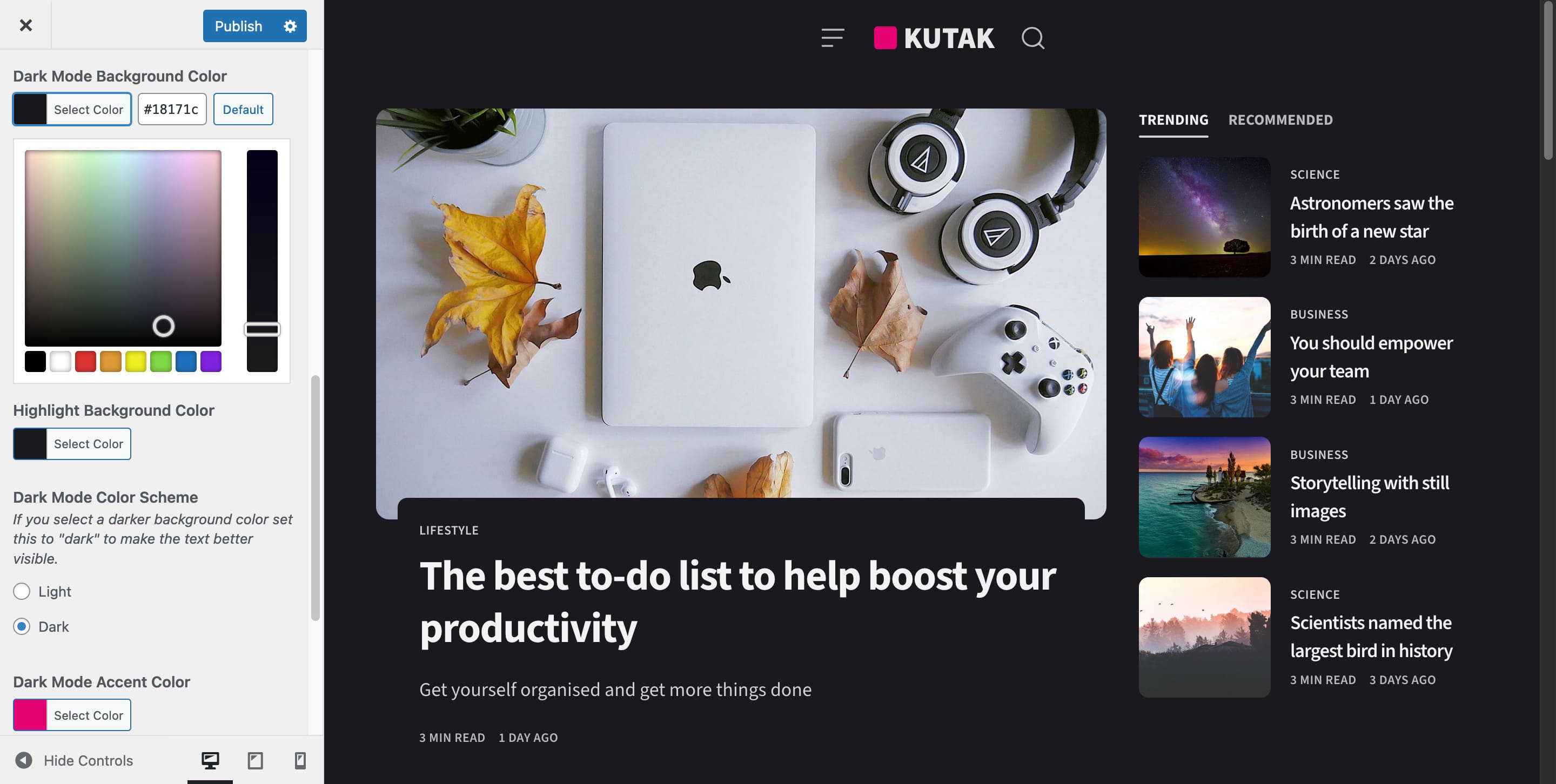
If you have enabled dark mode you should also add a "Dark Mode Logo" inside the "Site Identity" section. The same place where you can upload your default logo.

Blog Settings
You can choose from "Blog Layout", "Pagination Type", "Post Card Details" and more.

Typography
The theme by default ads support for Space Grotesk, Overpass, Rubik, Jost, Geist, Geist Mono, Lora, Georgia and default System UI font.
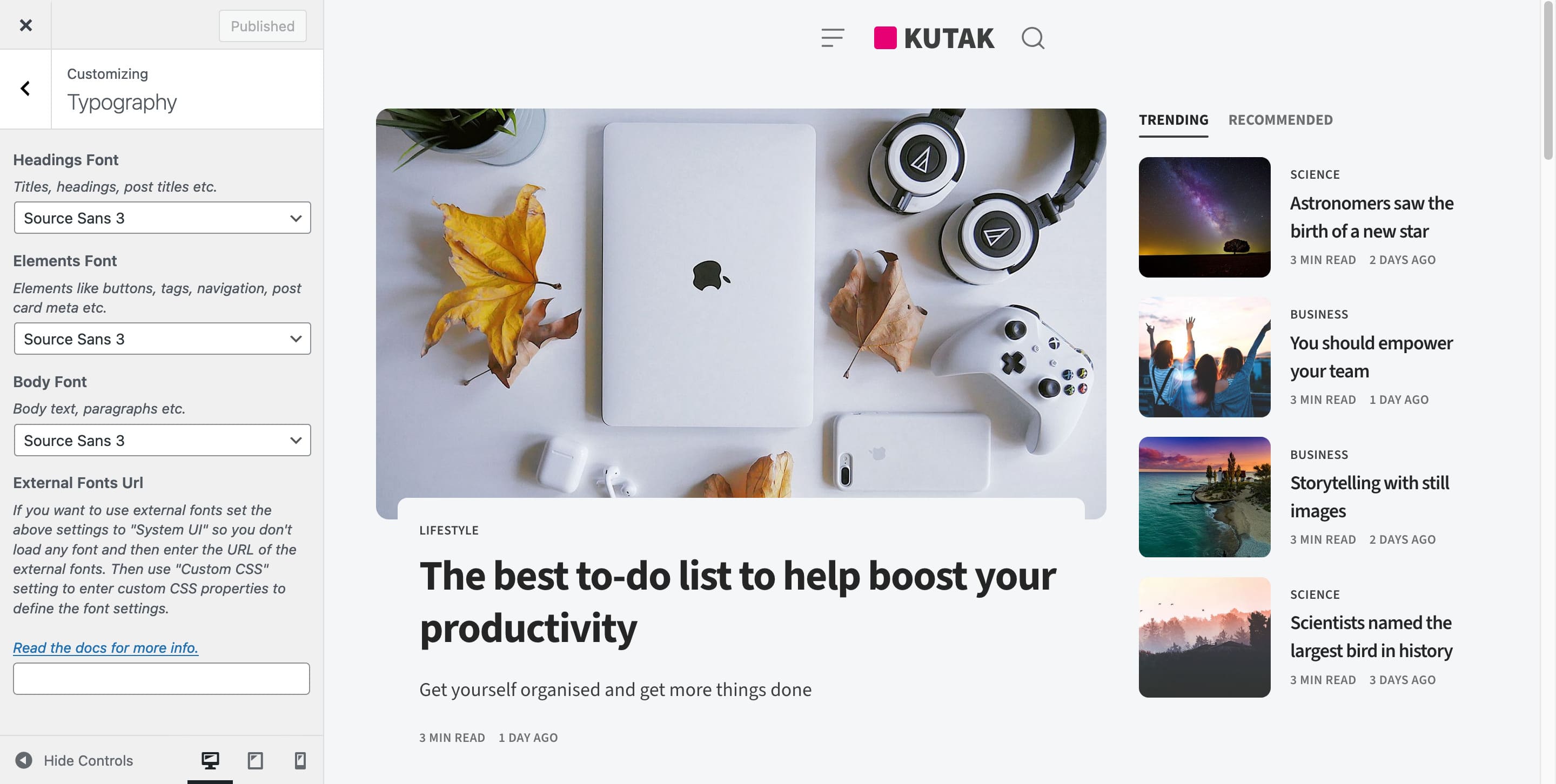
If you want to add your own custom fonts from e.g. https://fonts.google.com/ you can do that by switching the settings to "System UI" font so we don't load any font.
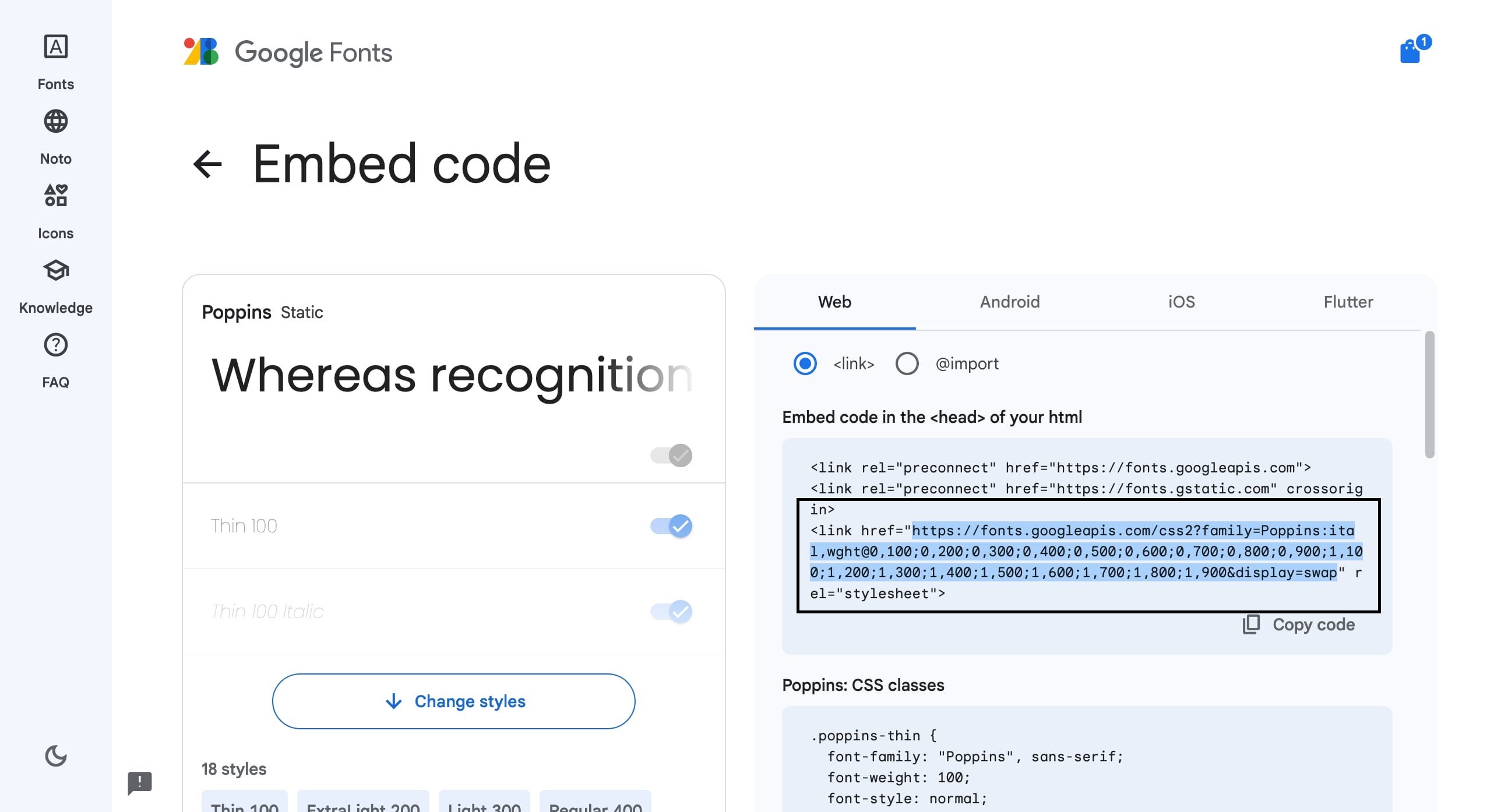
Then you need to copy the font link.
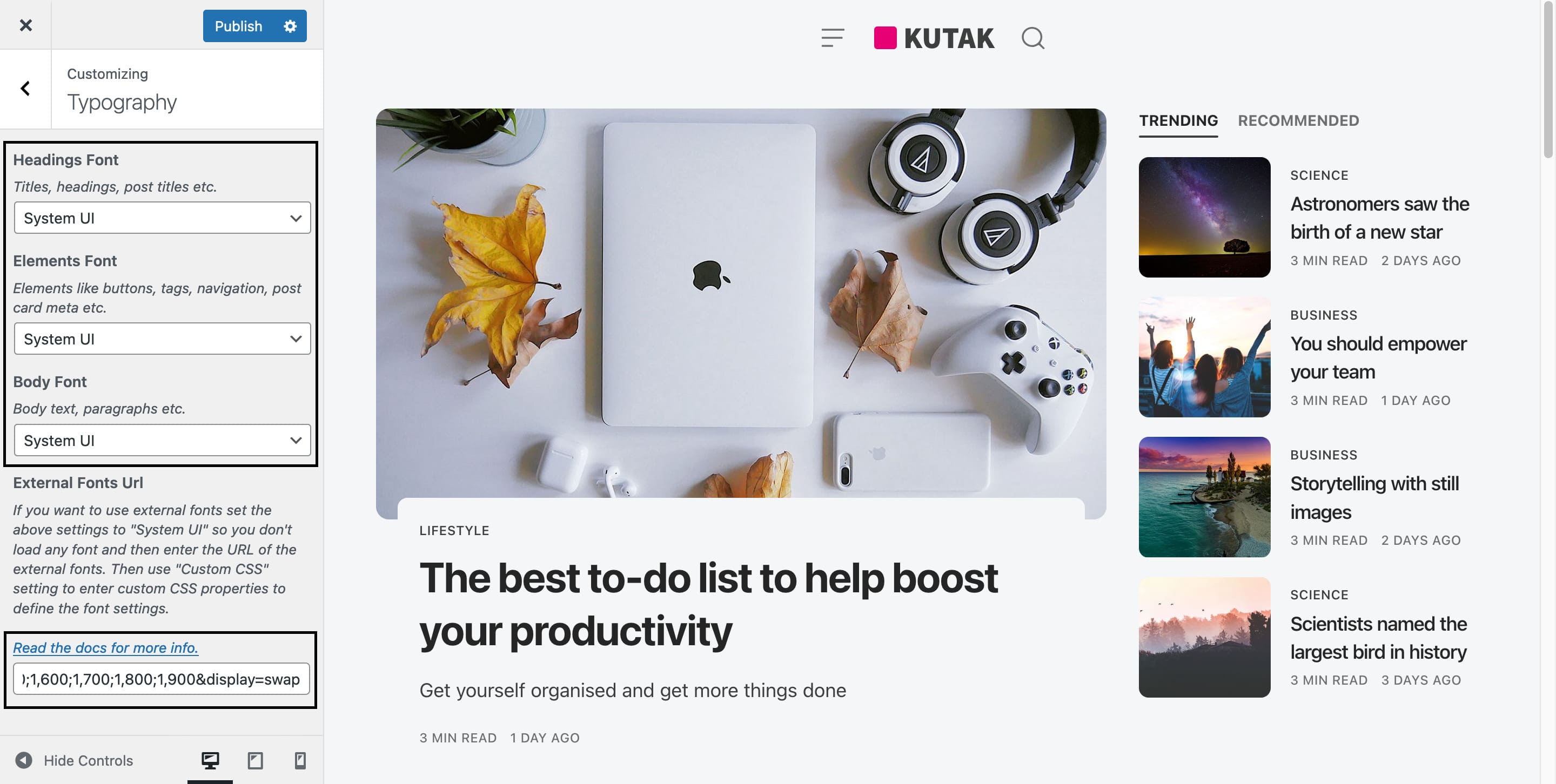
And paste it inside the "External Fonts URL" option.
After that you will need to go to "Additional CSS" section and use the CSS custom properties to select the font name and weights.

:root {
    --kutak--font-family--base: 'Poppins', sans-serif;
    --kutak--font-weight--base: 400;
    --kutak--font-weight--base-bold: 600;
    --kutak--font-family--elements: 'Poppins', sans-serif;
    --kutak--font-weight--elements: 500;
    --kutak--font-weight--elements-bold: 600;
    --kutak--font-family--headings: 'Poppins', sans-serif;
    --kutak--font-weight--headings: 700;
    --kutak--font-weight--headings-small: 500;
    --kutak--letter-spacing--headings: -0.02em;
}
Translations
All the texts that are visible on site can be changed inside these options.

Social Icons
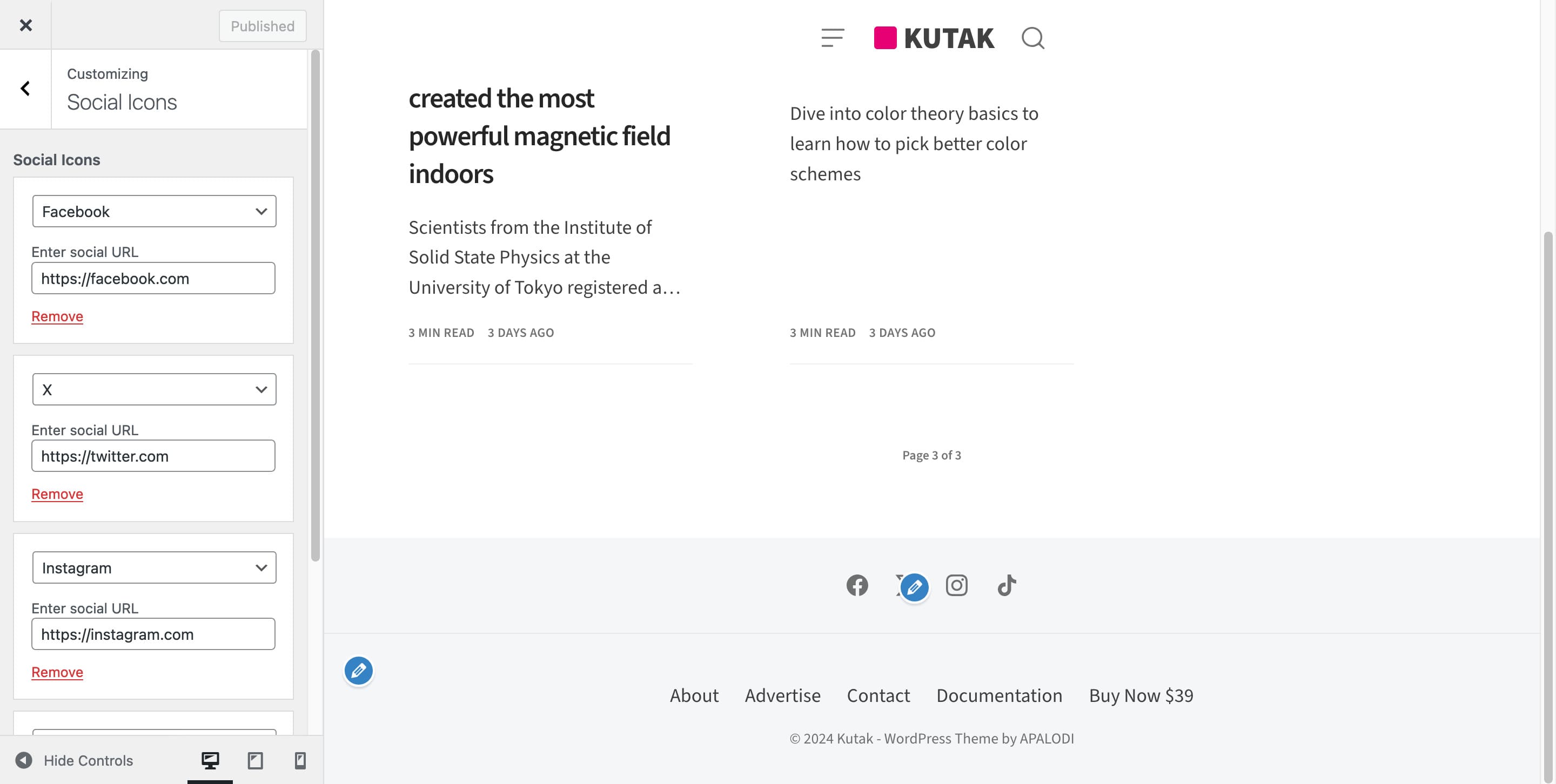
To add Social icons go to "Social Icons" section and add new icons.
Share Buttons
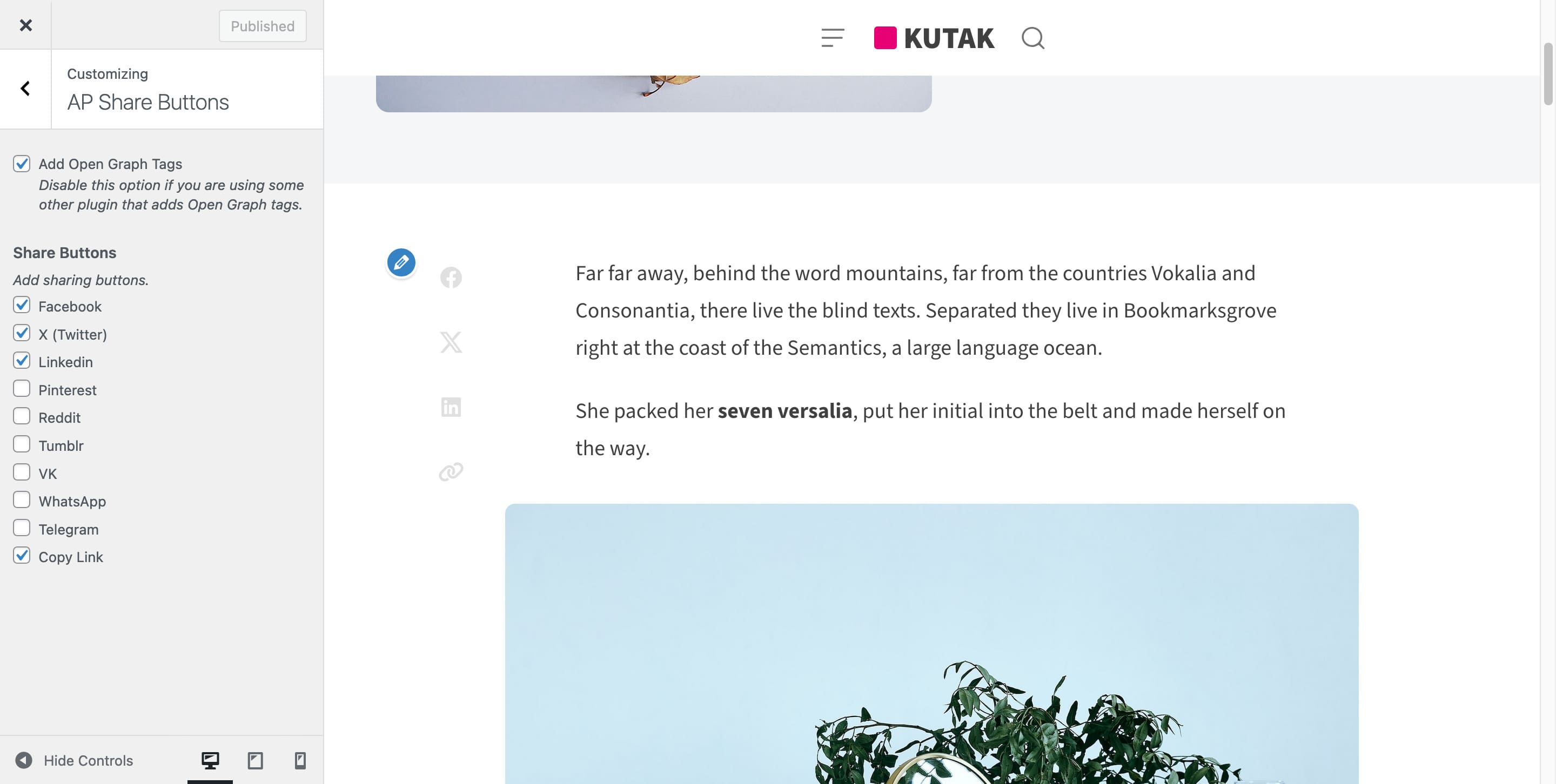
You will need to install the AP Share Buttons plugin first. See install recommended plugins. When the plugin is installed a new option will be added to the customizer.
To add share button to your posts go to "AP Share Buttons" section and select the buttons.
Features
Featured Posts
To feature posts you need to use default WordPress option for sticky posts.

Popular Posts
Installing the "AP Popular Posts" plugin you will get the option to show your most popular posts. They work automatically by saving your posts views and then calculating which posts has most views in some period (1day, 3 days or 7 days).
There are also some settings for the popular posts. E.g. do you want to trigger view with ajax (if you have some cache plugin you need to enable this option).

Categories Template
To show all categories on a page you will need to set the "Template" to "Categories".


Tags Glossary Template
To show the tags glossary on a page you will need to set the "Template" to "Tags Glossary".


Newsletter
You will need to install MailChimp for WordPress plugin first. Then under settings create a new form.
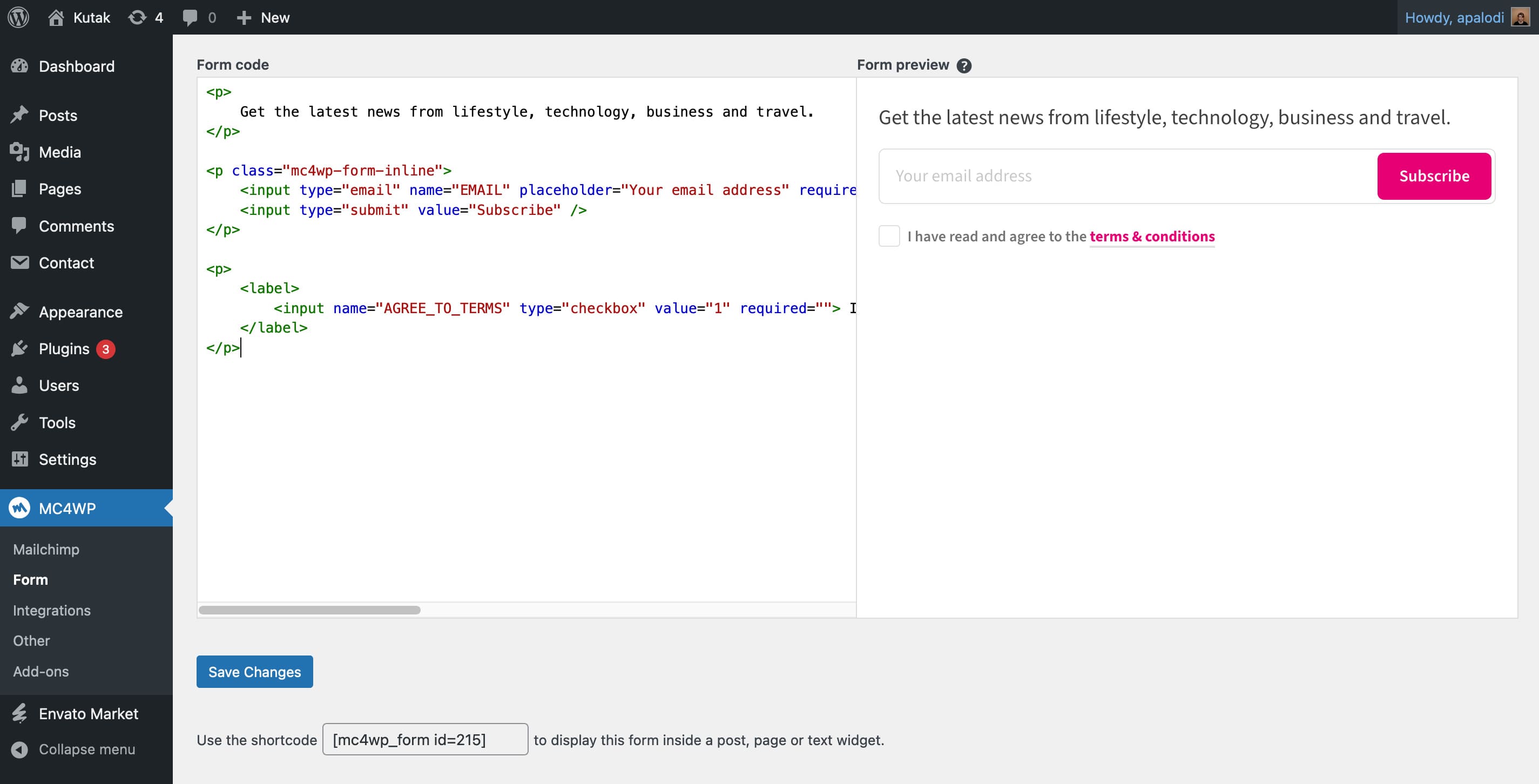
Copy this code to make the form look like on the demo. Please note that you need to change the url for terms page.
<h3>Stay in the loop</h3>

<p>
    Get the latest news from lifestyle, technology, business and travel.
</p>

<p class="mc4wp-form-inline">
    <input type="email" name="EMAIL" placeholder="Your email address" required />
    <input type="submit" value="Subscribe" />
</p>

<p>
    <label>
        <input name="AGREE_TO_TERMS" type="checkbox" value="1" required=""> I have read and agree to the <a href="https://example.com/terms" target="_blank">terms & conditions</a>
    </label>
</p>
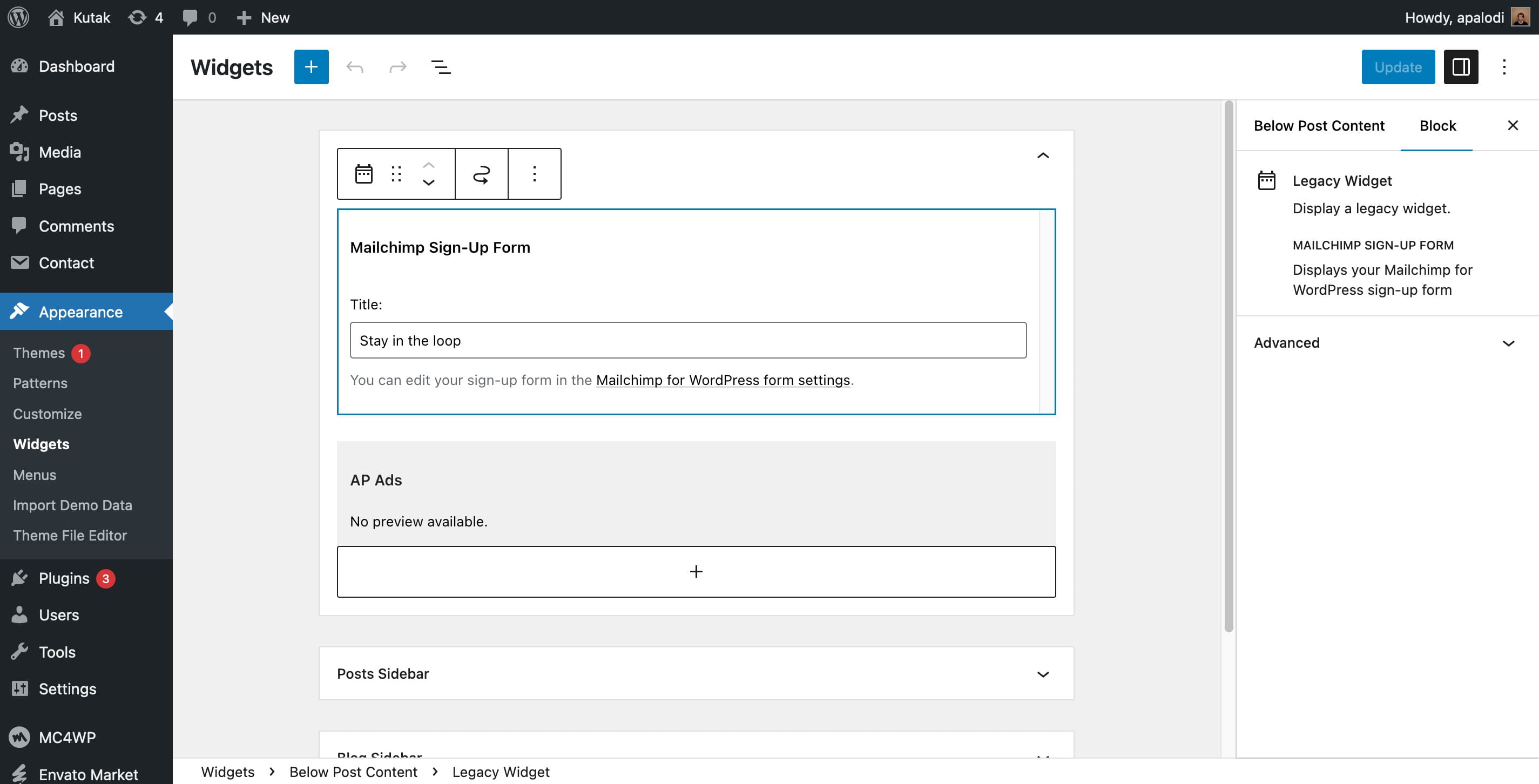
After that ad the widget to the Posts Sidebar
Tips and Tricks
SVG Logo
WordPress by default doesn't allow SVG file uploads. To use SVG logo you will need to install a plugin that enables that. We recommended https://wordpress.org/plugins/safe-svg/
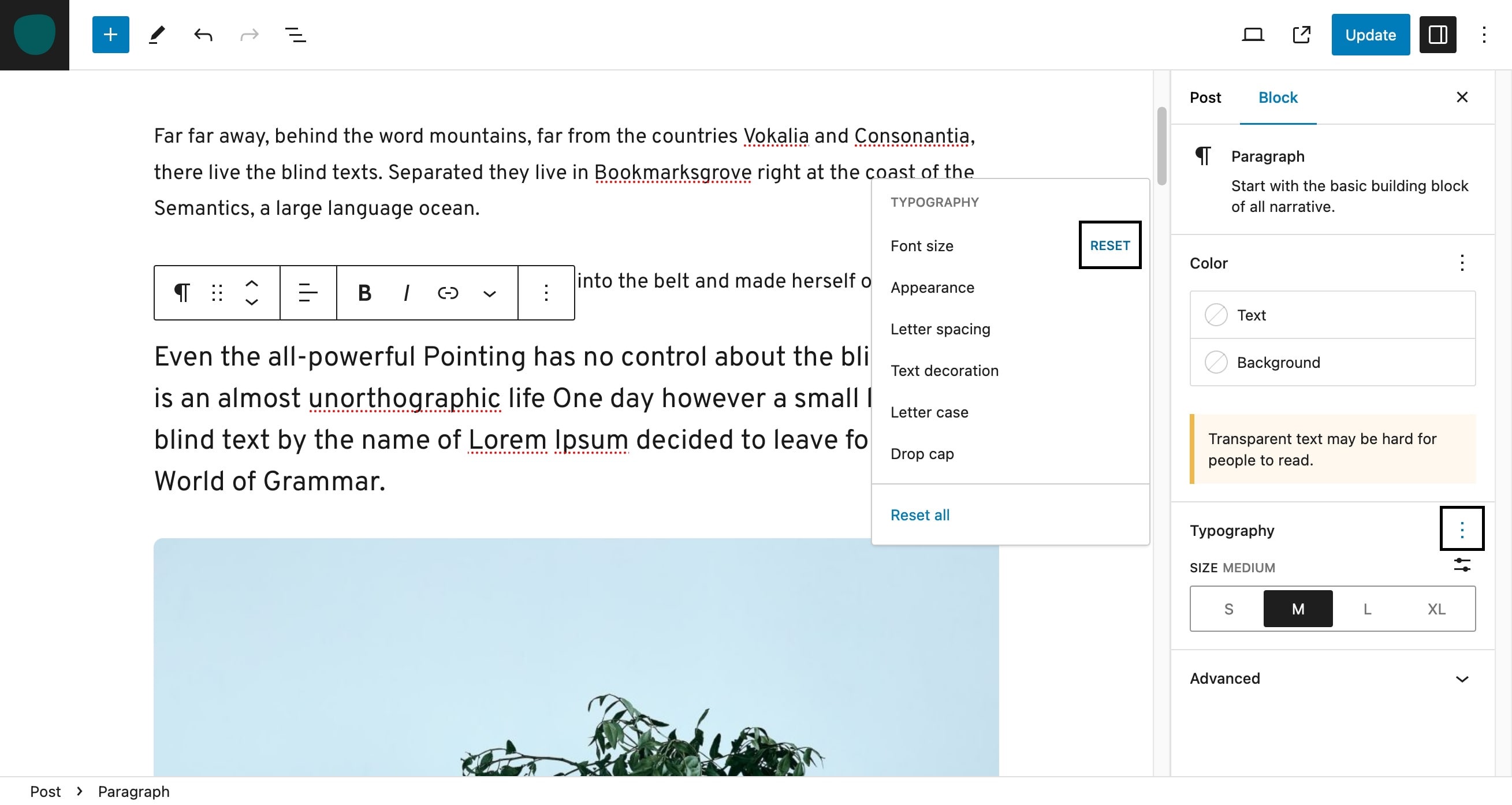
Reset colors and font sizes
Sometimes when you select a custom color or font size for specific elements the option to reset them isn't visible by default. There is usually a three dots when you click them you get a new popup where you can click a reset.
Widget Title
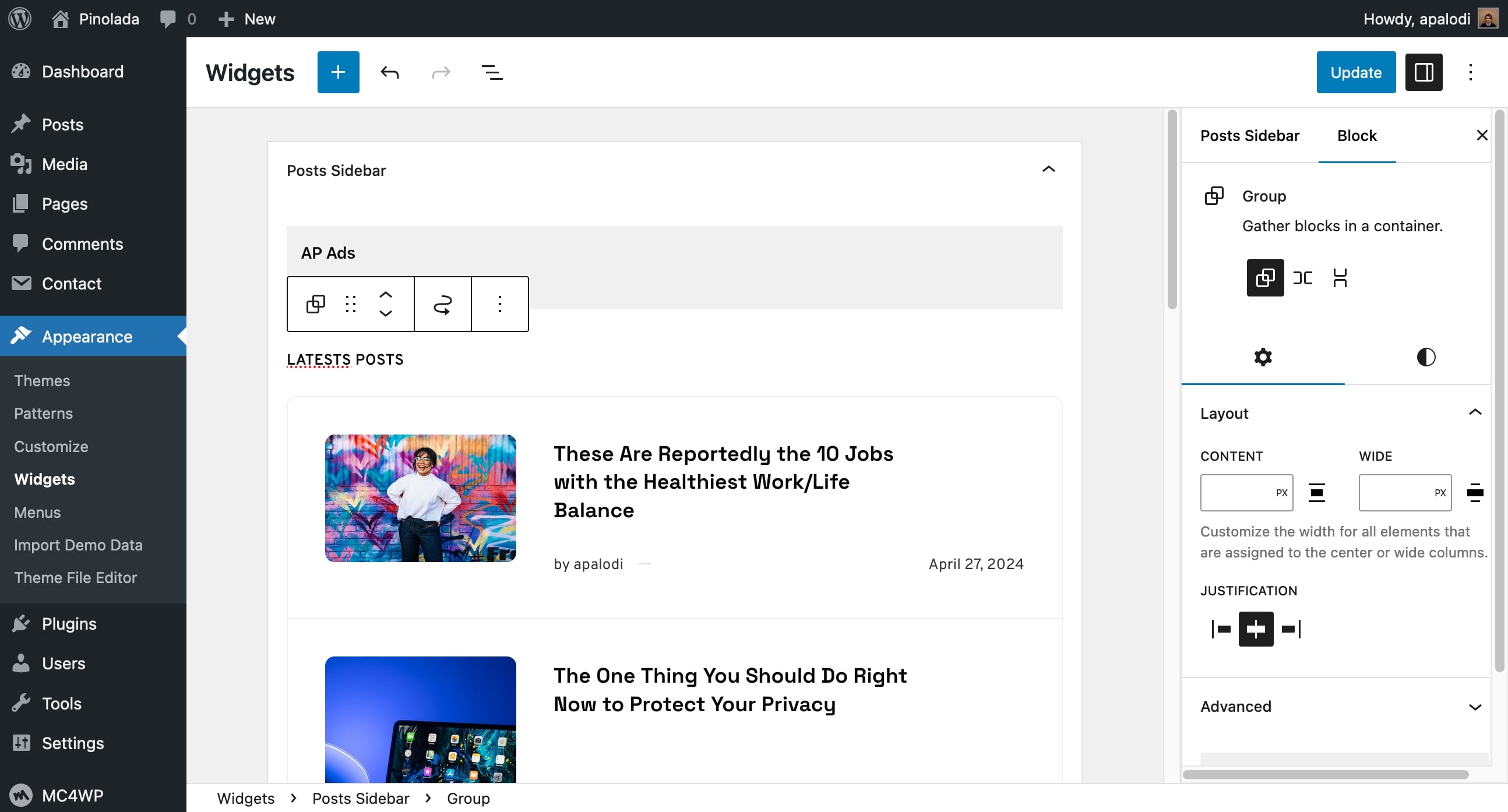
As the widgets are now just blocks to add a widget title formated nicely you will need to use a "Group" block and inside that group you add a heading and your widget.
Changelog
v3.3 (November 3 2025)
- Fixed issue with blog time ago functionality with different timezones.
- Added default color scheme option for dark mode switcher.
- Improved WordPress blocks styling in the editor and frontend.
Version 3.2 (14 February 2025)
- Added option to disable Featued Image on single posts.
- Added more social icons.
- Improved media onload for better plugin support.
- Updated bundled plugins.
Version 3.1 (27 October 2024)
- Fixed issue with default WordPress editor layout styles.
- Fixed issue with site heading alignment issue.
- Fixed issue with spacings inside constrained layout.
- Improved embeds to work with different kind of embeds.
- Improved search block styling.
- Updated bundled plugins.
Version 3.0 (1 September 2024)
- Total rewrite - PHP, JS and CSS - using best bractices for 2024.
- Built with Performance, Best Practices, Accessibility and SEO in mind.
- Modernized design - improved spacings, font size, colors etc.
- Added Dark Mode support.
- Added color options for background, hightlight section and dark mode.
- Added typograhpy options to change between several predefined fonts and option to extend to other.
- Added option to control what meta info is visible for the post card.
- Added option to control what additional section are visible on the single post.
- Added translation option to change all the texts visible on the frontend.
Version 2.11 (9 April 2024)
- Improved the highlight section by switching from using a custom query to using one default WordPress query.
- Improved "Load More" pagination with using default paginated pages and not custom query.
Version 2.10 (11 February 2024)
- Fixed One Click Demo Importer not importing everything.
- Fixed a bug with wrongly hooking into pagination markup html.
- Added theme options to show modifed date and order by it.
- Improved Gutenberg blocks styling in editor and frontend.
- Updated bundled plugins.
Version 2.9.2 (15 August 2023)
- Changed content images from custom lazy loading to default
loading=lazyfor better support for new image manipulations in the editor. - Updated bundled plugins.
Version 2.9.1 (12 February 2023)
- Updated plugins to support up to PHP 8.2
Version 2.9 (7 February 2023)
- Fixed a bug with social icons sanitization.
- Fixed menu notices when things don't exist.
- Added lightbox support for webp and avif.
- Added clearing the menu cache on customize save also.
Version 2.8 (23 October 2022)
- Fixed a bug with Gallery block and WordPress inline styles.
- Added filter
apalodi_use_modified_dateto switch between published or updated time. - Added TikTok social icon.
Version 2.7.1 (9 March 2022)
- Fixed a bug with Gallery block lightbox.
Version 2.7 (7 March 2022)
- Fixed a bug with updated Gallery block and nested images.
Version 2.6 (14 NOvember 2021)
- Fixed a bug with Contact Form 7 response output.
- Fixed a bug with widget titles using custom colors.
- Made our custom image sizes available for all plugins that do something with images.
- Removed lazy loading for images above the fold.
Version 2.5 (16 May 2021)
- Fixed a bug with cover block not diplaying correctly in WordPress 5.7.1.
- Added support for other characters for geting the reading time.
- Updated AP Popular Posts plugin
- Updated AP Performance plugin
Version 2.4. (16 January 2021)
- Added support for sidebar on single post page.
- Added option to show author box on single posts.
- Added new social icons.
- Improved Gutenberg support.
- Updated bundled plugins.
Version 2.3. (7 September 2020)
- Fixed a bug with PHP 7 and media lazy load.
- Updated Gutenberg editor stlyles.
- Added support for new Social icons block.
- Added support for sidebar on blog page.
Version 2.2. (4 April 2019)
- Fixed a bug with iframe lazy load.
- Few minor CSS fixes.
- Added reminder to rate the theme after 3 days of usage.
Version 2.1.1 (14 February 2019)
- Fixed a bug with custom colors in Firefox.
Version 2.1 (13 February 2019)
- Fixed a bug with header search trigger alignment.
- Fixed a bug with pagination color not changing to custom accent color.
- Added comments to "Featured Image" page template.
- Updated plugins.
Version 2.0 (3 February 2019)
- Now fully WordPress 5 (Gutenberg) compatible with style editor.
- Added new header classic style.
- Added new pagination types: Infinite Scroll, Load More and Numbers.
- Added widgets support below single posts.
- Improved backend and frontend speed with mostly rewritten code.
- Added adaptive images (various image sizes for different device widths equals faster loading websites).
- Added image resize background process.
- Added new better plugin for popular posts AP Popular Posts.
- Added new better AP Share Buttons plugin with social headers informations.
- Added new plugin AP Performance to improve frontend speed.
- Added support for MailChimp for WordPress plugin.
- Added new page template "Featured Image".
- Removed jQuery plugins and rewritten functionalities mostly with vanilla JS.
Version 1.1 (11 October 2018)
- Added minimal page template.
- Added new pages: About and Contact